
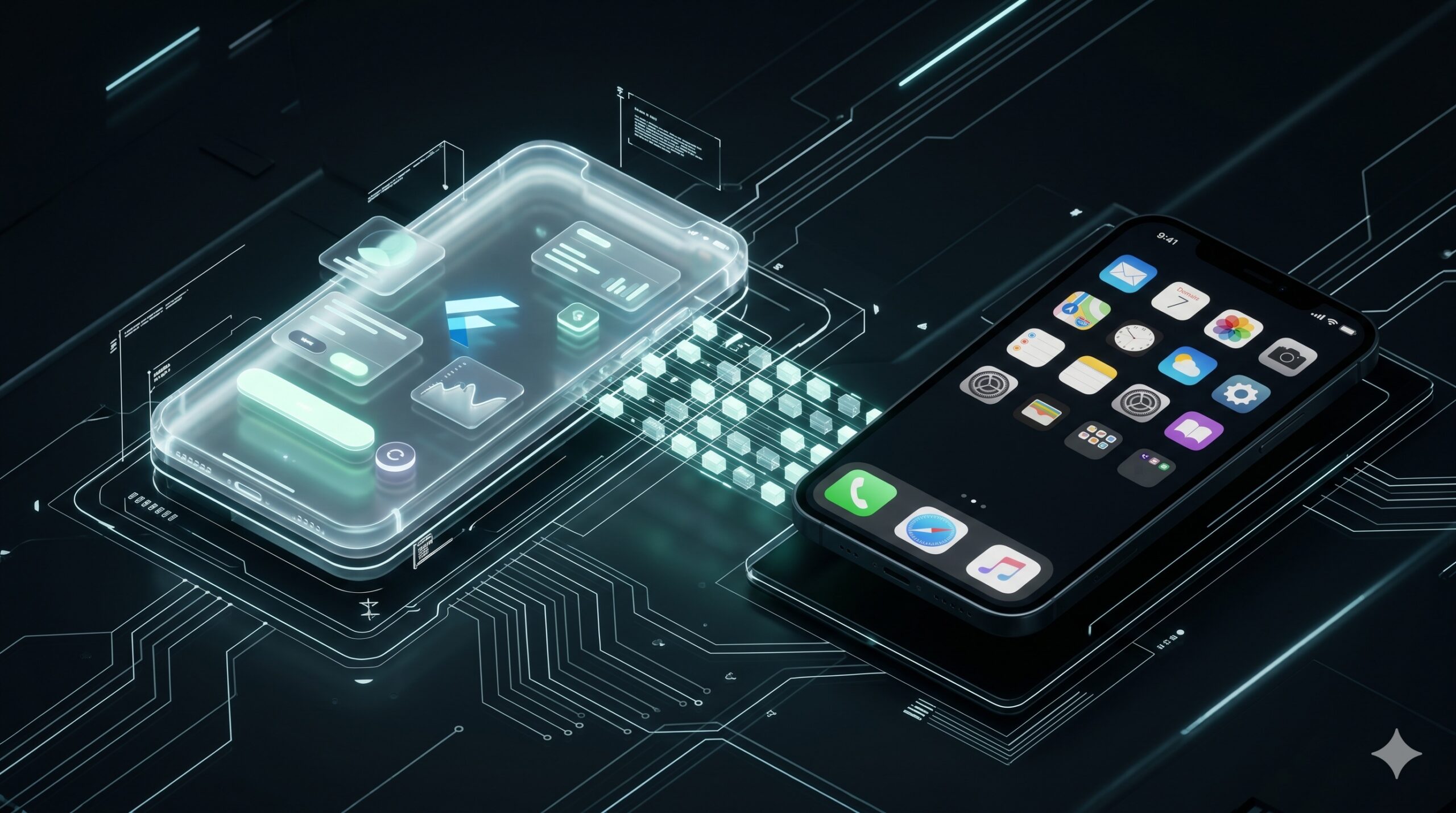
Flutter is great at drawing your app. It does not draw your home screen widget.
On Android, the launcher renders widgets from RemoteViews. On iOS, WidgetKit renders SwiftUI views in a separate extension. In both cases the widget is native UI, running outside your Flutter view hierarchy and often outside your app process.
That is the bit that catches people. The hard part is not the layout. The hard part is the lifecycle.
A home screen widget becomes much easier to add when your app already has a clean boundary between presentation and the rest of the system. The widget can be a thin native view over data the Flutter app prepares for it: names, progress, buttons, state. It does not need to know how data is loaded, synced, authenticated or mapped from your domain model. That work stays on the Dart side, where the rest of your app logic already lives.
This post uses the Android widget from my HabitChallenge app as the case study. HabitChallenge is a Flutter app with a Firebase backend and async_redux state. The widget lists today’s habits, scrolls when there are more than fit on screen, lets the user check one off without opening the app, and still provides a path back into the full app when needed.
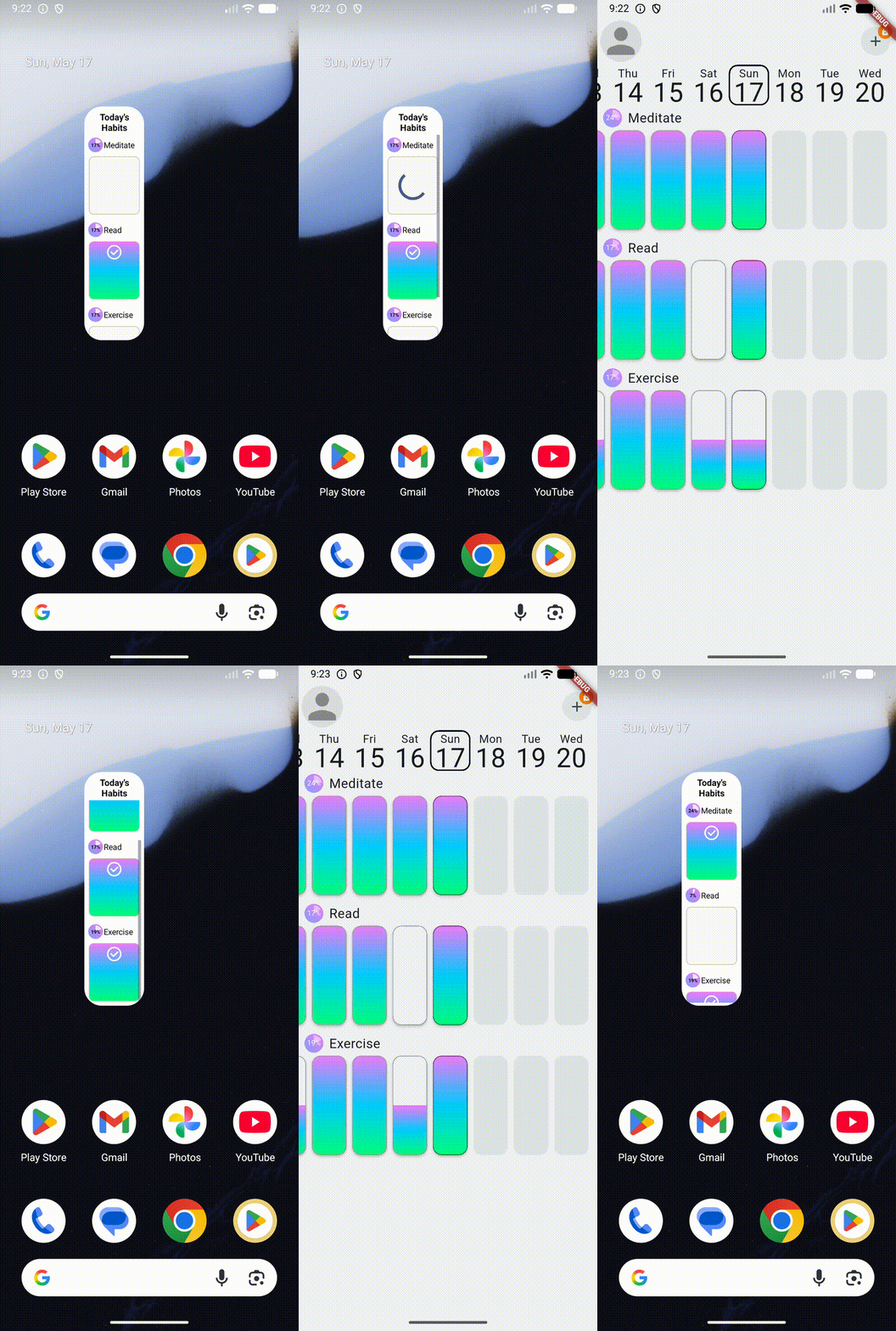
The app also ships on iOS, but this widget implementation is Android-only. I will call out the iOS shape near the end.
The mental model
A useful Flutter-backed widget needs three things:
- A native widget surface.
- A cache the native widget can read synchronously.
- A way to run Dart when your Flutter UI is not alive.
That is the shape to aim for. Native Android code handles the widget surface and click plumbing. Dart keeps ownership of business rules, data access and mapping from domain objects into widget DTOs. The cache is the handoff between them.
For HabitChallenge, the flow looks like this:
Android launcher process

AppWidgetProvider
  -> binds a widget ListView through RemoteViewsService
  -> RemoteViewsFactory renders rows from the widget cache
  -> row clicks send PendingIntents with a habitId

App process

Background worker / service
  -> starts a headless FlutterEngine
  -> resolves a Dart callback handle from SharedPreferences
  -> runs the background Dart entry point
  -> calls Dart over MethodChannel

Flutter code

Widget integration layer
  -> receives native calls in the background entry point
  -> pushes fresh widget data while the app is running
There are two MethodChannels, and that is intentional.
co.example.app/widget           Dart -> native, foreground push
co.example.app/backgroundWidget native -> Dart, headless RPC
The foreground channel is for the normal app lifecycle: the user has launched the app, Flutter has started, and the existing app engine can push widget data to native code. This can still work while the app is in the background, as long as that process and engine are still alive.
The background channel is for the dead-app case: there is no running Flutter UI to talk to, so native code starts a separate headless FlutterEngine, runs the registered Dart entry point, and uses that engine’s channel to ask Dart for work.
If you try to do everything through the normal app engine, it works in the happy path and fails in the exact moment users care about: when they tap the widget while the app is not running.
Start with the data contract
Do not start with native code. Start with the smallest DTO your widget needs.
The native widget must render quickly from a cache. It should not wait for Firebase, your Redux store, or a Dart isolate just to paint a row.
HabitChallenge uses four fields per habit:
{
  'id': String,
  'name': String,
  'todayProgress': int,
  'strength': int,
}
Keep this boring. Use strings, ints, bools, lists and maps. Do not send your domain objects over the channel. Do not send enums unless you serialize them as strings or ints. The standard MethodChannel codec is reliable, but it is not your app model layer.
In HabitChallenge, pure Dart code converts the real Habit model into this small widget DTO. That split matters. The widget contract stays stable even if the rest of the app changes.
Build the native widget surface
On Android, the native side needs:
- an
AppWidgetProvider, which is the widget’s broadcast entry point - an
appwidget-providerXML file - a
RemoteViewslayout - for lists, a
RemoteViewsServiceandRemoteViewsFactory
So yes, you are mostly inside Android’s widget model: XML-ish native UI, RemoteViews, broadcasts, pending intents and a service/factory for collection data. The widget is not a Flutter screen embedded on the launcher.
The provider XML is the usual Android widget metadata:
<appwidget-provider xmlns:android="http://schemas.android.com/apk/res/android"
    android:initialLayout="@layout/light_today_habits"
    android:minHeight="@dimen/home_widget_min_height"
    android:minWidth="@dimen/home_widget_min_width"
    android:previewImage="@drawable/todays_habits_widget_example"
    android:resizeMode="vertical"
    android:updatePeriodMillis="3600000"
    android:widgetCategory="home_screen" />
For a collection widget, the AppWidgetProvider binds the list with setRemoteAdapter. The service returns a RemoteViewsFactory, and the factory’s getViewAt() renders each row.
In HabitChallenge, the factory renders from a small widget cache containing the last known habit DTOs. If the cache is empty, stale, or the day has changed, native code asks the Dart side to refresh it through the background path. Dart can then load the data from whatever source the app normally uses: Firebase, local persistence, or a repository that chooses between the two.
The important split is that rendering stays synchronous and native, while data preparation stays on the Flutter side. After the first fetch for a given day, the widget can redraw from the cache without re-running app logic for every row.
The inside of the widget must also be scrollable. That matters for the product feel: the widget is not a static shortcut or a tiny screenshot of the app. It is a small native surface for the narrow job the user came to do.
That is the first rule of widgets: render from data you already have, but know when to ask the app layer to refresh it.
Make rows clickable without launching the app
RemoteViews list clicks use a slightly odd Android pattern:
- Put one
PendingIntentTemplateon the parent list. - Put a fill-in intent on each row.
- Android combines them when the user taps a row.
That lets each row carry its own habitId.
One detail matters on Android 12 and newer: the template PendingIntent must be mutable. Otherwise Android can drop the row-specific extras.
PendingIntent.FLAG_UPDATE_CURRENT | PendingIntent.FLAG_MUTABLE
Everything that does not need fill-in extras should usually be immutable:
PendingIntent.FLAG_UPDATE_CURRENT | PendingIntent.FLAG_IMMUTABLE
HabitChallenge hit this bug in production history. A template intent that should have been mutable was wrong, and row taps silently stopped behaving. It is exactly the kind of Android platform detail that makes widgets feel more fragile than normal app screens.
The important product point: checking a habit from the widget should feel like checking a habit, not like launching the app, waiting for the first frame, navigating to the right screen, then finally doing the action. Quick actions should stay on the home screen. Deeper actions can intentionally open the full app.
Push updates while the app is running
When the app is alive, use the existing Flutter engine.
HabitChallenge registers a foreground channel in MainActivity:
habitChallenge.co/homeWidget
When habits or theme change in the async_redux store, Dart serializes the widget DTOs and sends them to native code. Native code writes them to the widget cache, then asks Android to redraw the list:
appWidgetManager.notifyAppWidgetViewDataChanged(
    appWidgetIds,
    R.id.habits_list
);
This covers the easy lifecycle case:
- user opens the app
- app state changes
- Dart pushes fresh widget data
- native code caches it
- launcher redraws the widget from cache
Flutter is not drawing the widget. Flutter is feeding data to native UI.
Make it work when the app is not running
This is the part most examples underplay.
The launcher can invoke your widget while your Flutter UI is not running. There may be no MainActivity. There may be no Flutter engine. There may be no Dart isolate.
So the widget needs a headless Dart path.
On the Dart side, define a top-level entry point:
@pragma('vm:entry-point')
void backgroundIsolate() {
  // Register background MethodChannel handlers here.
}
At normal app startup, persist a callback handle for that function:
final callback = PluginUtilities.getCallbackHandle(backgroundIsolate);
final handle = callback?.toRawHandle();
Store that raw handle in SharedPreferences. Later, when a widget event arrives, native code can read the handle, create a fresh FlutterEngine, resolve the callback with FlutterCallbackInformation.lookupCallbackInformation(handle), execute it with DartExecutor.executeDartCallback(...), and open the background MethodChannel on that engine.
Now the widget can ask Dart to do real app work even when the main Flutter UI is gone:
channel.invokeMethod("checkHabit", habitId, resultHandler);
Dart handles the method call, initializes only the services that background widget work needs, performs the app-specific operation, and returns updated widget data. Native code writes the result to cache and refreshes the widget.
That is the core trick: the widget event does not need the existing app UI. Native code creates a temporary Flutter runtime for the background job, talks to Dart over the method channel, then lets the native widget redraw from the new cached data.
One caveat: Android’s user-initiated force stop is different from process death. If the user force-stops the app from Settings, Android deliberately suppresses background work until the user launches the app again. Design for process death, not for bypassing force stop.
The production traps
A few things are worth checking before you ship.
First, annotate native-only Dart entry points with @pragma('vm:entry-point'). If Dart code is only called from native code, the release compiler may tree-shake it. HabitChallenge had the classic symptom: widget worked in debug, did nothing in release.
Second, the importance of the distinction between process death and force stop. Android’s user-initiated force stop is different from process death. If the user force-stops the app from Settings, Android deliberately suppresses background work until the user launches the app again. Design for process death (random kills), not for bypassing force stop.
Third, background channel failures are quiet. There is no screen to show an error. The launcher may swallow failures. Because the widget runs in a separate process or a headless engine, there is no UI to surface errors. Use whatever reporting sink your app already has, but do not drop widget failures on the floor.
What about iOS?
HabitChallenge does not implement the iOS widget path.
The equivalent iOS architecture is:
- WidgetKit extension
- SwiftUI widget view
- App Group shared container
- Flutter writes JSON or simple values into shared
UserDefaults - WidgetKit reads from the shared container and renders a timeline
The UI technology changes, but the boundary is the same. Flutter prepares the data. Native widget UI renders it.
The home_widget package abstracts much of this for both platforms, and I would start there in a new app. You still need to understand the lifecycle, though. A package can hide boilerplate, but it cannot remove the core constraint: the widget is native UI, and it must render from data available outside your Flutter widget tree.
The takeaway
A Flutter-backed home screen widget is not a small Flutter screen.
It is a native widget that consumes Flutter-produced data.
When the app is running, Dart can push that data directly. When the app is not running, native code must start a headless Flutter engine, run a registered Dart callback, and ask Dart for the work it needs.
Once that clicks, the architecture becomes much less mysterious:
- native code owns the widget surface and click plumbing
- Flutter owns the business logic and data access
- a cache connects the two
- a foreground channel handles live updates
- a background channel handles dead-app interactions
That is the part worth getting right. The XML is just plumbing.
Pingback: The Native Bridge Is Usually the Easy Part - Dariusz Łuksza